Product
Signing inside your product
Show the signing form inside your own website or app, on your own address. Embedding is included in every plan.
Three steps
curl -X POST https://app.docustay.app/api/v1/documents/DOCUMENT_ID/embed-session \
  -H "Authorization: Bearer $DOCUSTAY_KEY" \
  -H "Content-Type: application/json" \
-d '{ "seat": "signer_1", "origin": "https://app.example.com" }'<script type="module" src="https://docustay.app/embed/index.js"></script>
<docustay-sign url="URL_FROM_THE_ANSWER" height="720"></docustay-sign>el.addEventListener("completed", (e) => confirmOnServer(e.detail.documentId));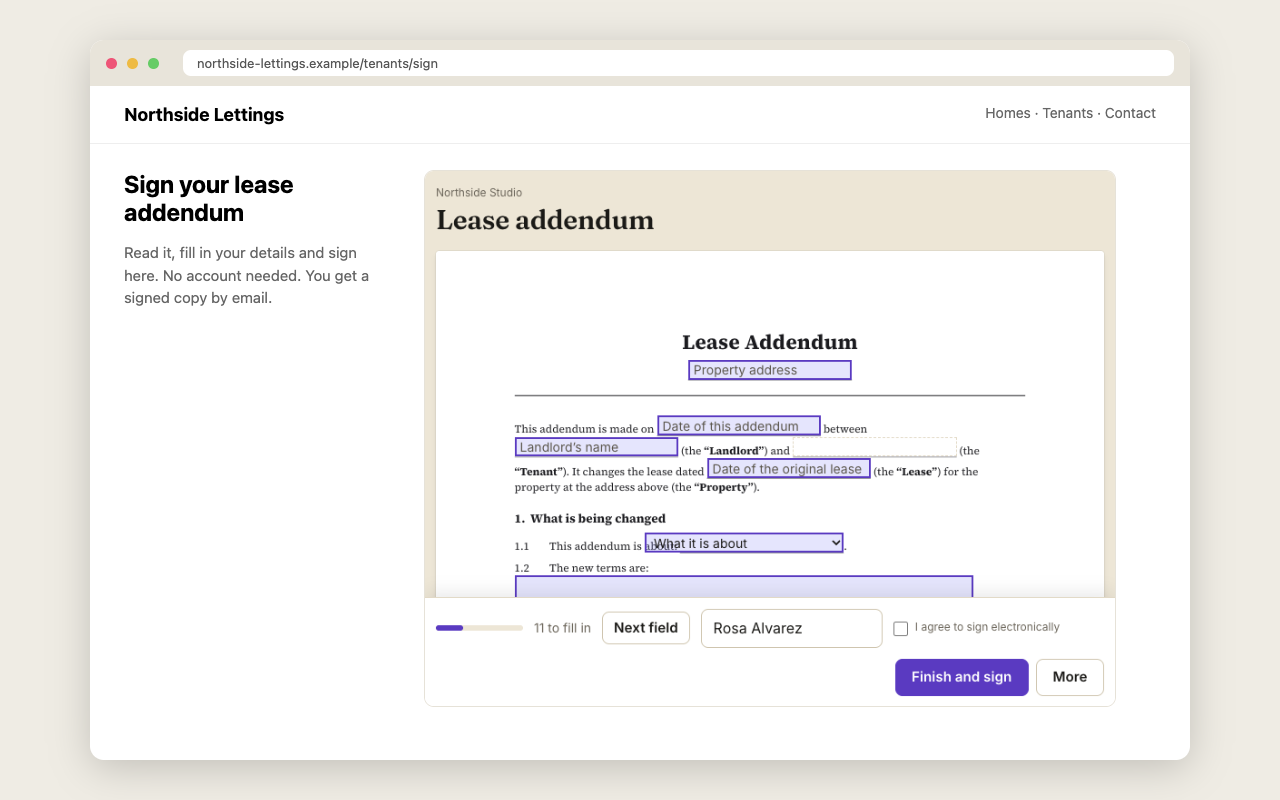
| Event | When |
|---|---|
ready | the form has loaded |
waiting | it is not this person's turn yet |
completed | the signer finished |
declined | the signer declined |
error | the link was refused |
resize | the form's height changed |
A worked example
A property manager's website has a Rent an apartment page. The manager's server asks Docustay for a signing session for the lease and gets back a link good for one hour. The page places that link in the signing element. The applicant fills in and signs without leaving the site, and the page is told the moment they finish so it can show a thank-you message.
No email goes out. The applicant never sees a Docustay page.
What you control
The language, colours and logo of the form, where to send the person afterwards, and which fields are pre-filled or read-only. The embedding setting lists the websites allowed to show the form; every other website is refused.
What stays safe
The API key stays on your server and is never sent to a browser. The session link expires after an hour. Messages between the frame and your page go only to the websites you listed.
Sizing and mobile
The embedded form fills the width of the box you give it and resizes as the signer moves through the document, so give it a container that can grow. Check it at phone width: that is where most signers will meet it.
Testing an embedded form
Use a test key and test mode first. The form behaves exactly as it will in production, mail goes only to you, and nothing is counted, so you can check the layout on your own page and on a phone before anyone real sees it.
Questions people ask
Does embedding cost extra?
No. It is included in every plan.
Does it work in a mobile app?
Yes, in a web view, as long as the page runs from a website you listed.
Can the signer still get their copy?
Yes. The sealed PDF is emailed to everyone who signed when the last person signs.
Keep reading
Start free
Create a workspace, upload a document and send it. No card needed.